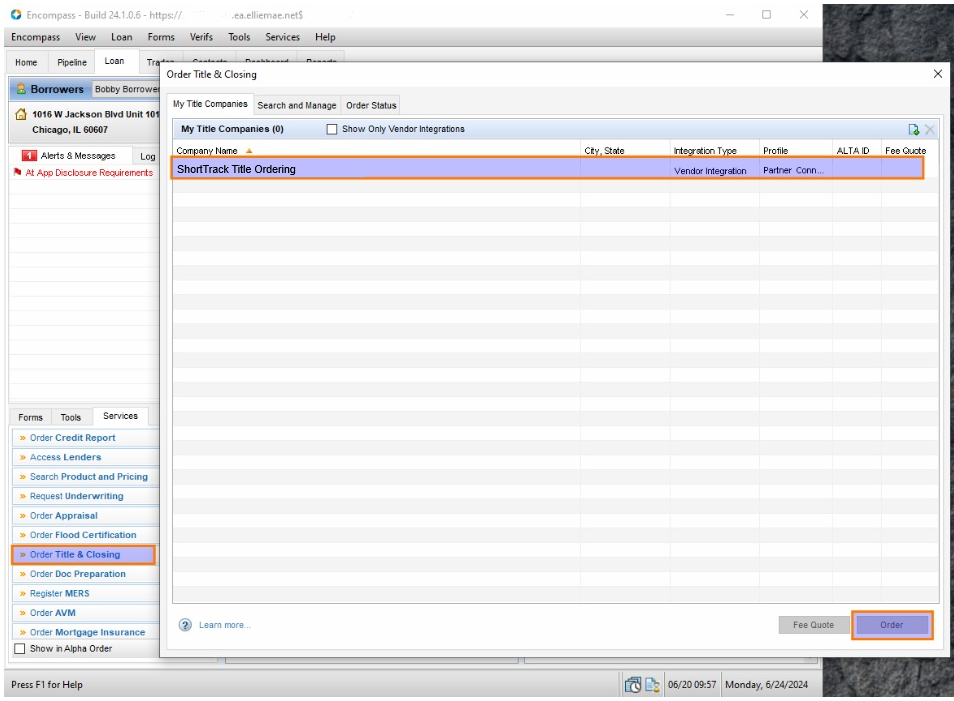
The integration can be accessed by either the browser or desktop Encompass Partner Connect.
From the Internet Browser
On the left hand navigation, scroll down and expand Order Service and then click on All Services.
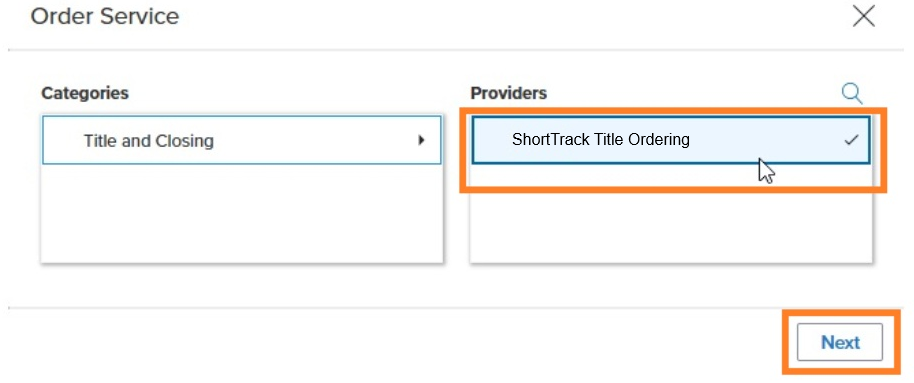
Under Categories, click on Title and Closing. Then, from your Providers list, pick ShortTrack Title Ordering. Click Next to launch the interface.
From the Encompass Desktop Application
On the bottom left of your desktop window, click on the Services tab, then on Order Title and Closing.
In the Order Title & Closing window that opens up, click on My Title Companies, then on ShortTrack Title Ordering. Click the Next button at the bottom right of the window to launch the interface.